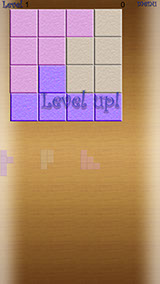
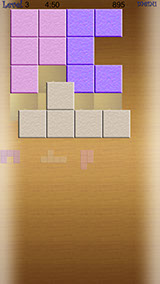
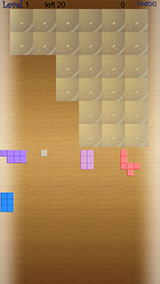
Charada is a board tile puzzle game. Try to solve given boards that need filled out with given tiles/blocks/stones.


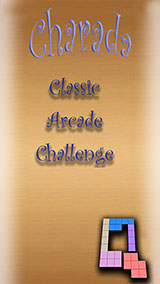
The game offers 3 different game modes:


- Classic
- Arcade
- Challenge



Each mode comes with 5 different difficulties to choose of.


Classic:
----------
Relax and take your time. When playing the Classic game mode you can try to solve the puzzles without any pressure. If you do not manage to finish a level you can eventually end the game by choosing “give up” from the game menu.
            

Arcade:
----------
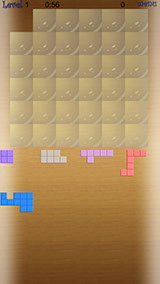
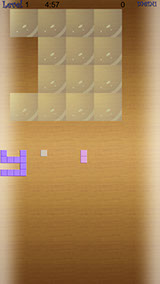
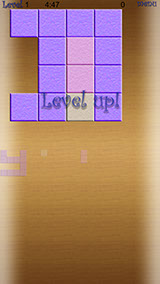
You want to have more action. Choose Arcade. The clock is ticking. Play against time. The earlier you finish the level the more extra points you get. The available time depends on the difficulty chosen.


Challenge:
--------------
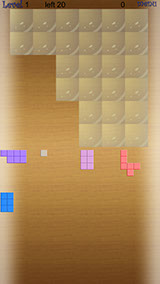
Want to challenge your brain. Take Challenge and you will have only a certain number of “90 degree tile turns” available to rotate any tiles. The number of turns depends on the number of tiles and the selected difficulty at start. At the highest difficulty 5 for example you will have only one entire rotation for every tile. Thus all preparation for the tiles laid out must be done in mind beforehand.


Gameplay:
--------------
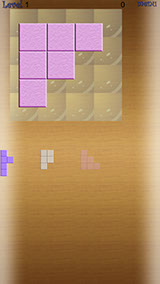
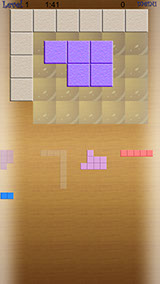
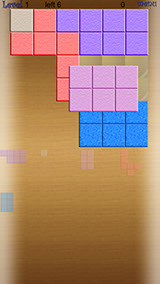
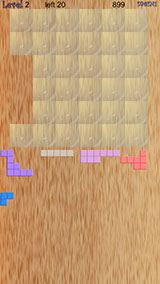
At the beginning at the top of the display the empty playfield board is visible and all available tiles are displayed as miniatures at the bottom of the screen. As soon as you touch a miniature the real tile appears in the middle of the screen (The miniature will fade slightly to indicate that the tile is already being used). From now you can start moving it by touching and dragging it with your finger. If the tile is over the playfield and you pull your finger away from it it automatically tried to fit itself in the nearest accurate position.


If you want to rotate a tile simply touch it short without moving and the tile rotates 90 degrees clockwise.


You haven’t placed a tile in the correct position yet and want to temporarily get rid of it again to gain a better overview. Simply touch it’s miniature and it will disappear again. (The previously faded miniature will become bright again)


At the top right is a menu button. It offers a menu where you can
- quit
- give up
- resume
the game. When playing Arcade mode you can use this as pause game option


When you play Arcade Mode the time left is being displayed at the top in the middle left.
When you play Challenge the number of 90 degree quarter turns is being displayed at the top in middle left. The current score is being displayed


The game offers an infinite number of levels. Levels can vary in playfield board size (4x4, 4x5, 5x5 and so on up to 6x6) in playfield form (levels are not necessarily rectangular but can have any form possible) and in number of tiles (3-8) to be placed. Which parameters are being selected depend on the difficulty selected and the level being played.


There’s different high scores for each game type. Swipe the high score display left or right to switch between the different high scores. A high score entry consists of
- player name
- score achieved and
- level accomplished.


Features:
- 3 Game Modes
- 5 Difficulties for each Game Mode
- different Board sizes and forms
- variable number of tiles/block and variable tile/block form
- “infinite” number of levels
- 3 highscores including score and level
- automatic game saving when quitting the game by pressing the home button


Charada ist ein Brett Puzzle Spiel. Versuche vorgegebene Spielfelder mit vorgegebenen Steinen die unterschiedliche Formen haben zu füllen.


Das Spiel bietet 3 Spiel Modi


- Classic
- Arcade
- Challenge


Jeder Modus kommt in 5 verschiedenen Schwierigkeitsstufen.


Classic:
----------
Sei entspannt. Du hast alle Zeit der Welt. Löse die Puzzles ohne jeglichen Druck. Solltest Du einen Level nicht lösen können, so kannst Du das Spiel mittels der Menü Option „Give Up“ durch Aufgabe beenden und dich gegebenenfalls in die Highscore eintragen. Im Gegensatz zu „Quit“ Game wird bei „Give up“ die Punktezahl für einen Platz in der betreffenden Highscore geprüft.


Arcade:
----------
Du möchtest mehr Spannung. Dann wähle Arcade. Die Uhr tickt. Spiele gegen die Zeit. Je eher Du den Level löst, desto mehr Extra Punkte erhältst Du. Die zur Verfügung stehende Zeit ist abhängig von der gewählten Schwierigkeitsstufe.


Challenge:
--------------
Du bist ein Stratege und möchtest eine echte Herausforderung. Dann wähle Challenge. Hier hast Du lediglich eine limitierte Anzahl von Vierteldrehungen (90 Grad) zur Verfügung. Die Anzahl der zur Verfügung stehenden Vierteldrehungen hängt von der Anzahl der Steine und der Schwierigkeitsstufe ab. In der höchsten Schwierigkeitsstufe z.B. hast Du lediglich eine komplette Drehung pro Teil. Die komplette Vorarbeit muss deshalb im Kopf vorab geleistet werden.


Gameplay:
--------------
Zu Begin wird in der oberen Bildschirmhälfte das noch leere Spielfeld dargestellt. Die zu platzierenden Teile befinden sich als Miniatur in der unteren Hälfte des Bildschirms.
Sobald man eine Miniatur berührt erscheint das echte Teil in Original Größe in der Mitte des Bildschirms. Die Miniatur verblasst um anzuzeigen, dass der Stein schon in Verwendung ist.


Ab jetzt kann es mit den Fingern auf dem Spielfeld platziert/verschoben werden. Nachdem ein Stein innerhalb des Spielfeldes losgelassen wird platziert er sich automatisch optimal innerhalb des Spielfelds.


Ein Teil kann durch kurzes Berühren (ohne Bewegung) um 90 Grad im Uhrzeigersinn gedreht werden.


Solltest ein Stein noch nicht richtig positioniert sein und stören, dann kannst Du ihn durch kurzes Berühren der Miniatur wieder verschwinden lassen. Die Miniatur strahlt wieder wie zuvor um anzuzeigen, dass der Stein noch positioniert werden muss.


Oben rechts auf dem Bildschirm befindet sich ein Menü Knopf. Er bietet folgende Möglichkeiten:


- Quit (Spiel abbrechen und zurück ins Hauptmenü)
- Give up (Spiel beenden und sich eventuell in die Highscore eintragen)
- Resume (Spiel fortsetzen.


Im Arcade Modus kann der Menü Knopf zum pausieren genutzt werden.


Im Arcade Modus wird oben links die verbleibende Zeit angezeigt.
Im Challenge Modus werden oben links die verbleibenden Vierteldrehungen angezeigt.


Rechts von der Mitte befindet sich die Punkteanzeige.


Das Spiel bietet eine unendliche Anzahl von Level. Sowohl Spielfeldgrundgröße (4x4, 4x5, 5x5 ... bis hin zu 6x6), deren generellen Form (nicht notwendigerweise Rechteckig sondern jede beliebige Form ist möglich) und deren Anzahl der zu platzierenden Steine (3-8) variiert. Die Parameter sind abhängig von der gewählten Schwierigkeitsstufe und des zu spielenden Levels.


Es gibt getrennte Highscores für jeden Spielmodi. Wische innerhalb der Highscore nach links oder rechts um die jeweilige anderen Highscores anzuzeigen. Jeder Highscore Eintrag besteht aus:
- Spieler Name
- Punkte
- Vollendete Level


Features:
- 3 Spiel Modi
- 5 Schwierigkeitsstufen pro Modi
- Variable Spielfeldgröße
- Variable Spielfeldformen
- Variable Anzahl von Steinen mit variabler Form
- „Unendlich“ viele Levels
- 3 Highscores, eine pro Spiel Modi
- Automatische Speichern des aktuellen Spiels bei Beenden des Spiels durch die Home Taste